Security scanning
Coordinate specialized security tools and centralize their findings, evidence and recommendations.
 Security Analyzer
IDEO-Lab ·
V1.0 RC1
Security Analyzer
IDEO-Lab ·
V1.0 RC1
Security Analyzer combines coordinated security scanning, remediation workflows, uptime monitoring, SLA reporting and public website intelligence in one operational dashboard.
Critical and high-priority issues.
Measured over the selected reporting period.
Operational incident requiring review.
Validate the evidence, apply the correction and schedule a new scan to confirm the result.
Security Analyzer does not stop after producing a list of technical warnings. It helps organize findings, availability incidents and remediation decisions.
Coordinate specialized security tools and centralize their findings, evidence and recommendations.
Mark findings fixed, accepted, false positive or ready for retesting in a documented workflow.
Monitor websites, detect outages, follow incidents and compare measured availability with objectives.
Add DNS, HTTP, SEO, indexability and public performance information to the operational view.
These are real application screens using demonstration data. They show how scan results become understandable, prioritized and actionable.
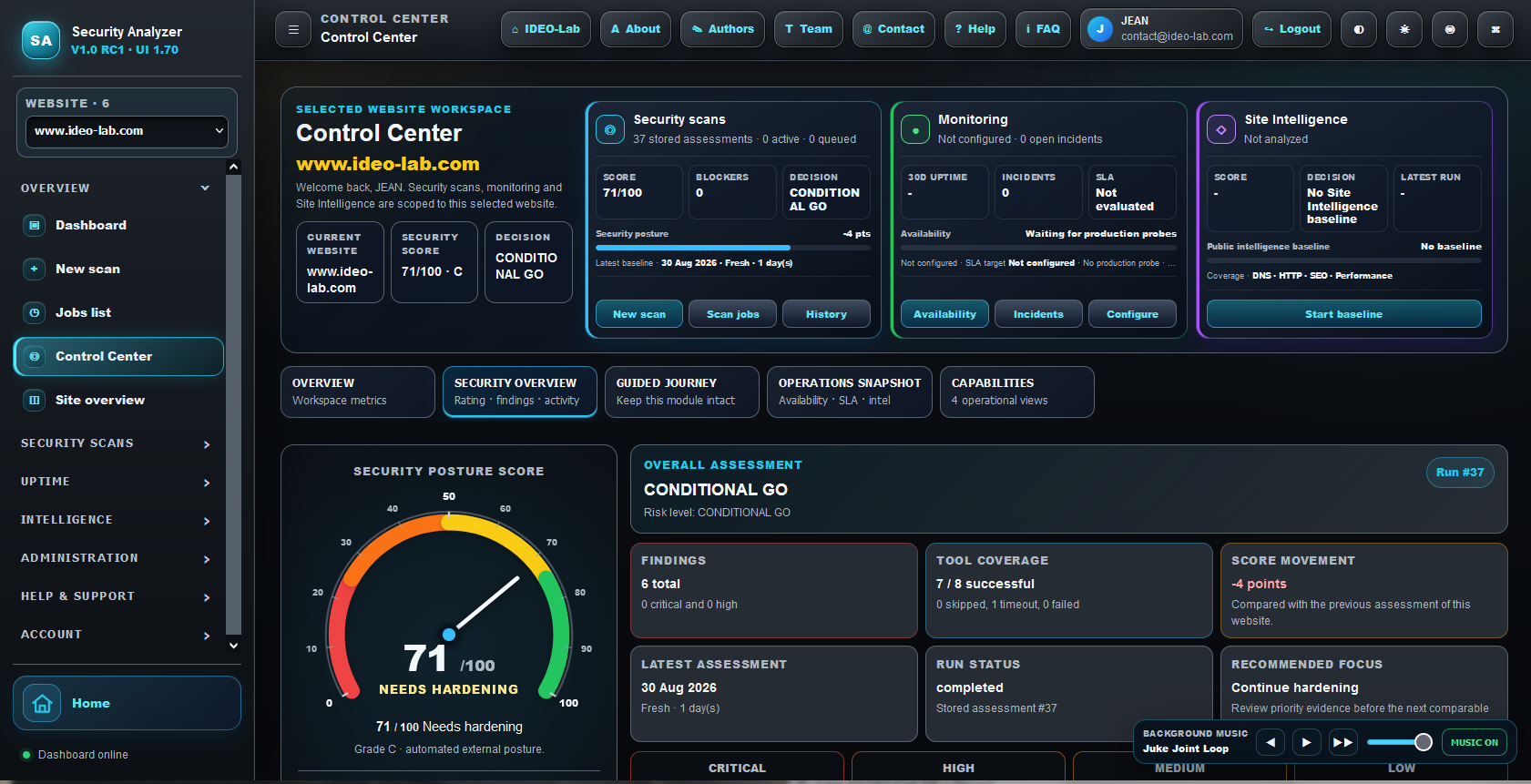
Understand the latest security decision, global score, blocking findings and recommended next action without reading raw tool output first.
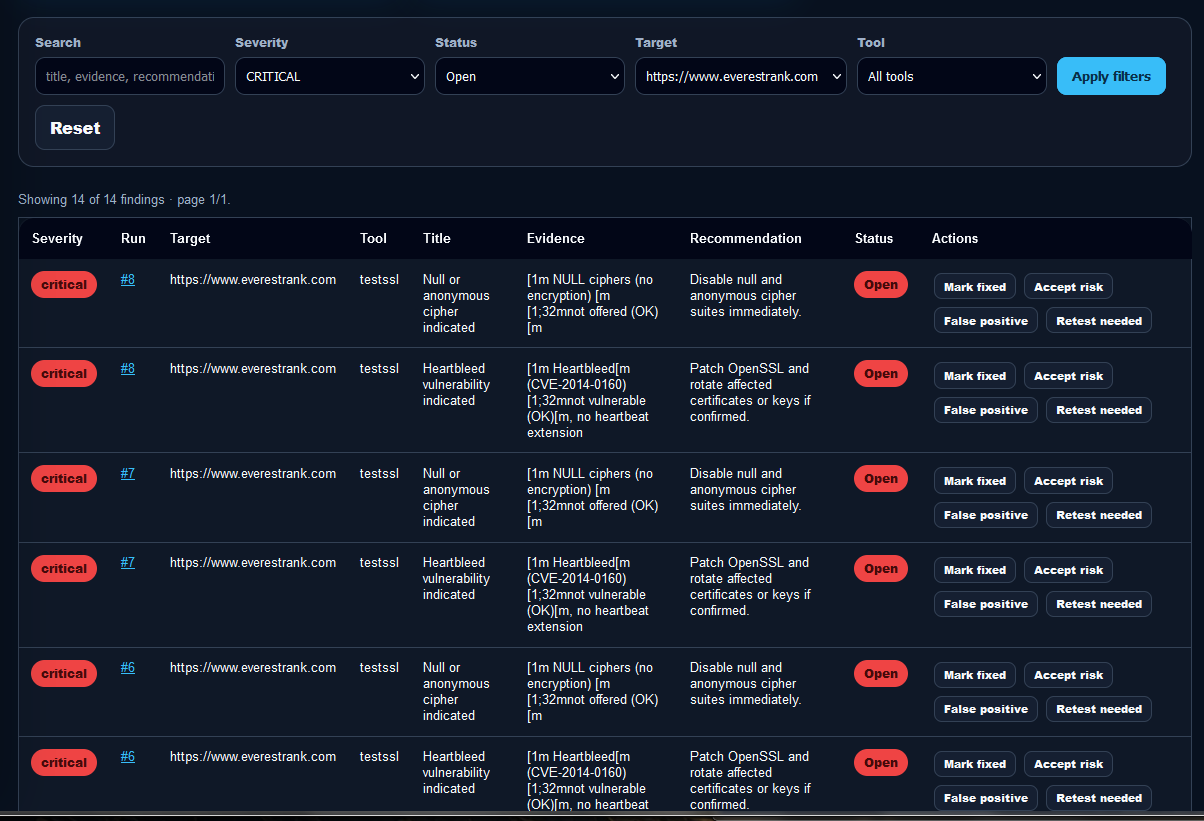
Review severity, detection source, technical evidence and the recommended remediation for each issue.
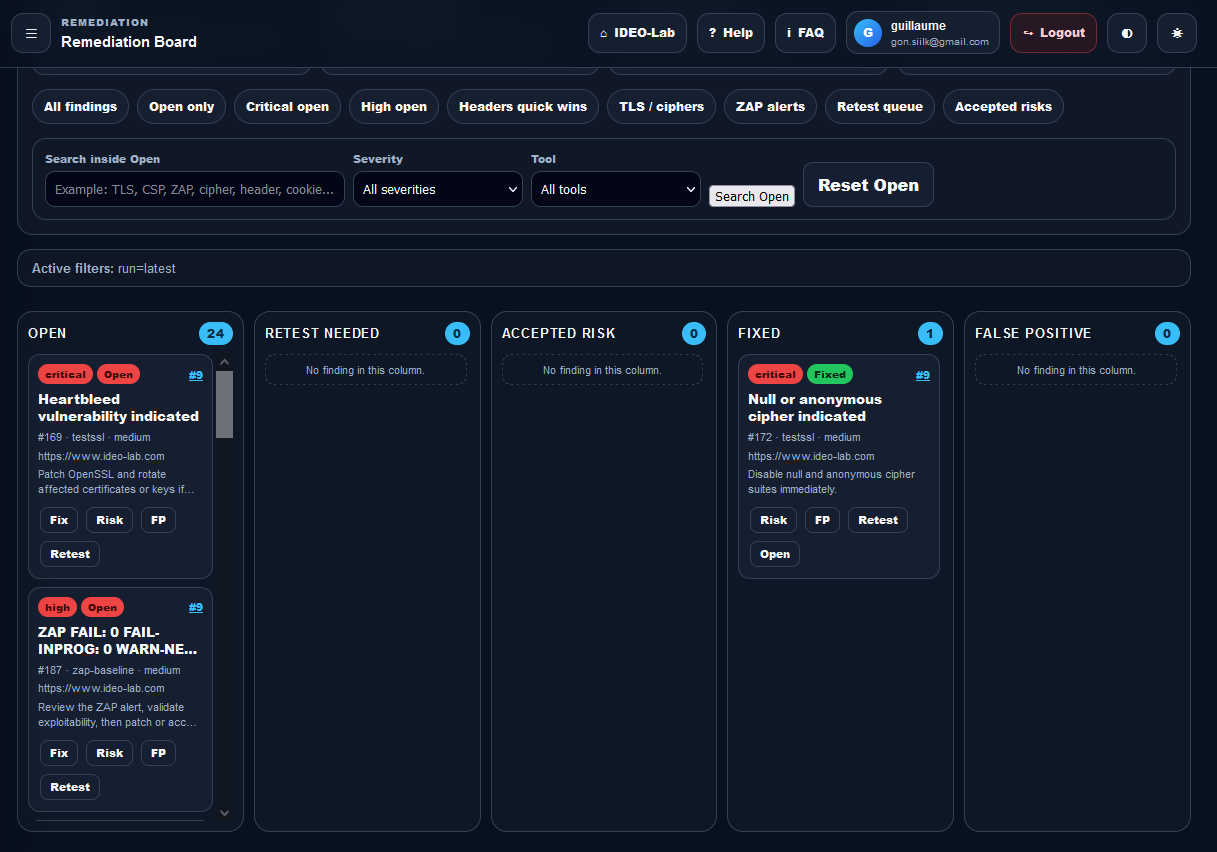
Mark issues fixed, accepted risk, false positive or ready for a new validation scan.
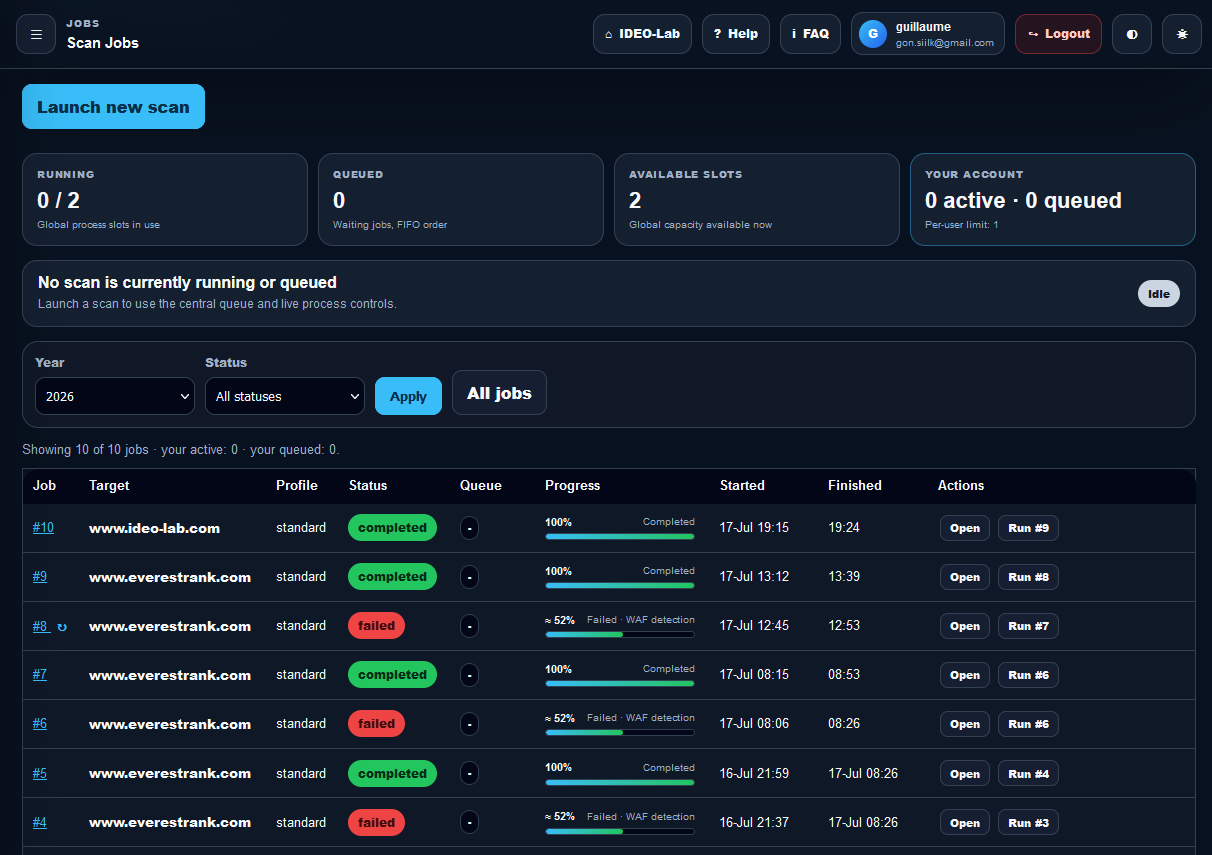
See which security tools completed, how long they took and where their detailed raw evidence was stored.
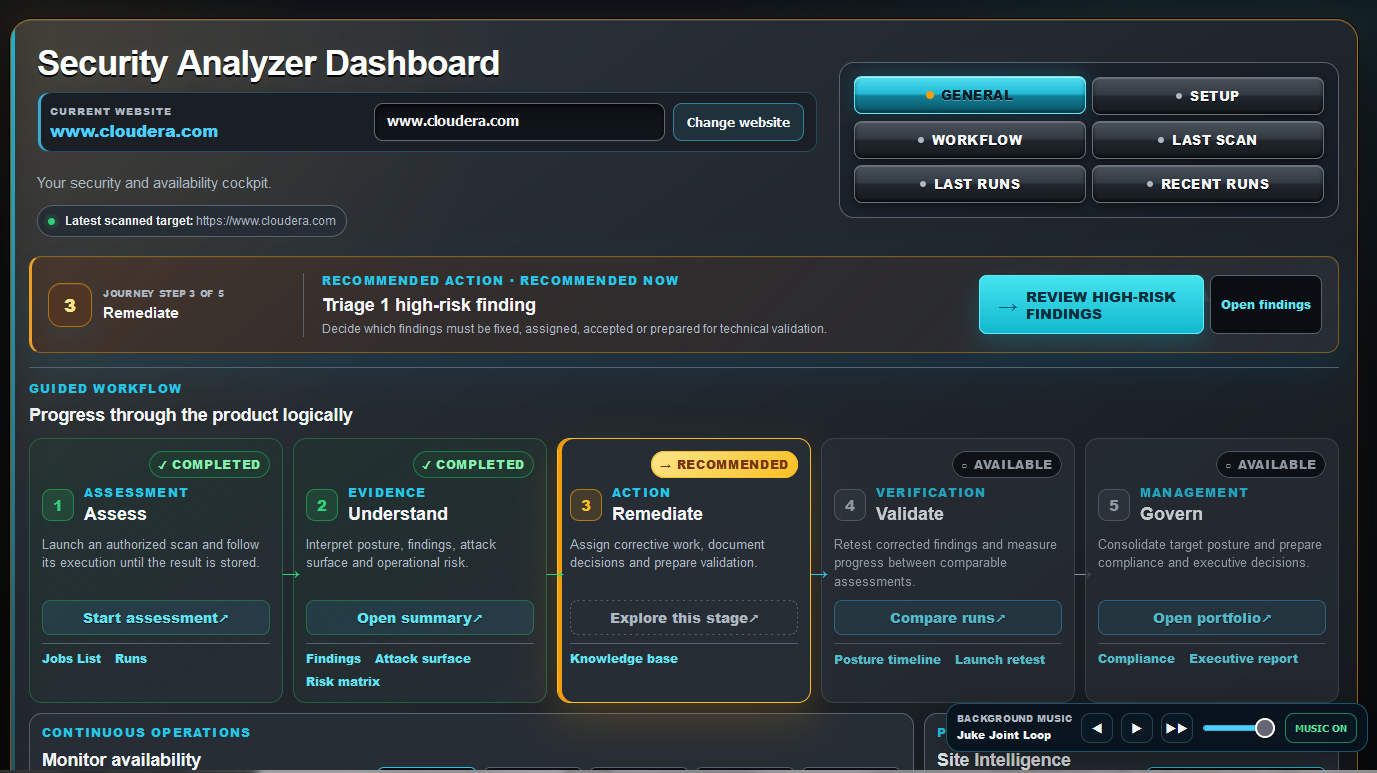
Group findings by operational impact, rather than relying only on the raw severity returned by each scanner.
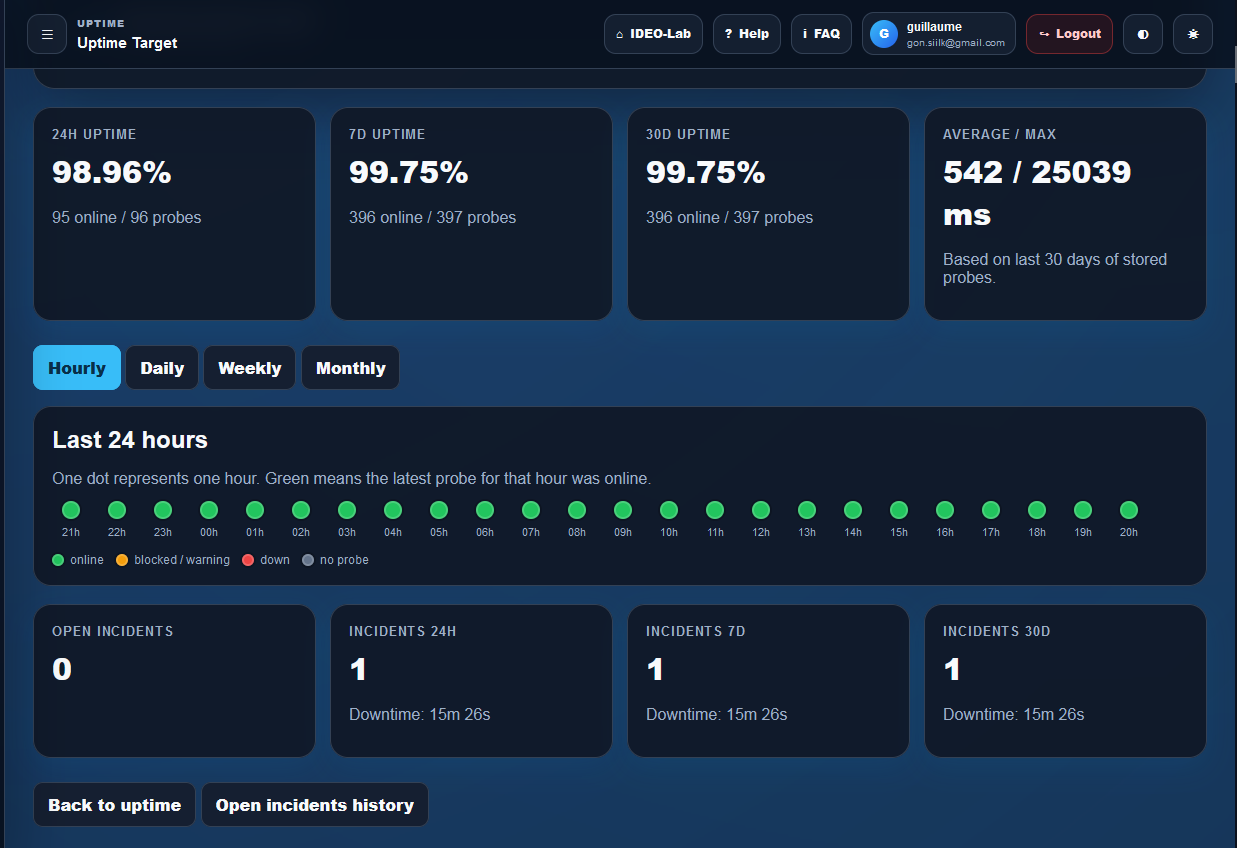
Review hourly, daily, weekly and monthly availability history together with response time and incident information.
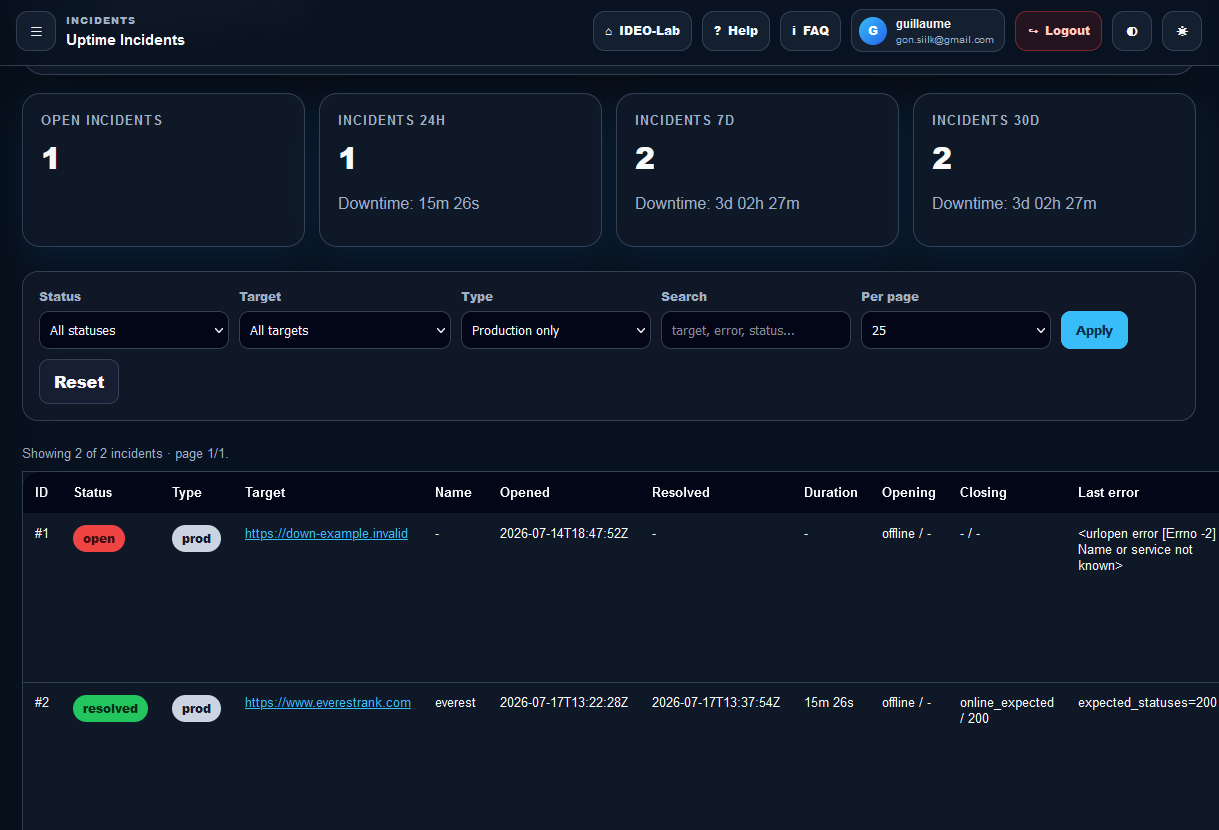
Follow availability incidents and inspect the individual probes used to establish the operational history.
A clear operational path prevents security reports from becoming unread documents that nobody processes.
Create an authorized security baseline for the selected website.
Review critical, high and operationally exposed findings first.
Apply corrections or document explicit business-risk decisions.
Launch a new scan and verify that corrected findings have disappeared.
Create a private workspace or sign in to your existing account.